





Are you tracking your Medicare provider revalidation deadline, or waiting for a notice from your Medicare Administrative Contractor? In 2026, most Medicare providers and suppliers generally revalidate every five years, while DMEPOS suppliers generally revalidate every three years. CMS may also request revalidation outside the regular cycle.
The process can be easier when your enrollment records are current and your team checks the CMS Revalidation List in advance. But relying only on notices can create risk. CMS generally sends notices 90–120 days before the due date, while providers remain responsible for tracking their deadlines. Late submission may result in payment holds or deactivation of Medicare billing privileges.
This guide explains Medicare provider revalidation deadlines and pitfalls, including how to check your 2026 due date, use PECOS, correct enrollment discrepancies, and respond to documentation requests. You’ll also learn how missed deadlines can affect Medicare reimbursement and what your billing, credentialing, and practice management teams should do to reduce enrollment problems.
What Should You Know About Medicare Provider Revalidation?
Medicare provider revalidation is the process of resubmitting and confirming enrollment information so providers and suppliers can maintain Medicare billing privileges. CMS generally requires revalidation every five years, while DMEPOS suppliers generally revalidate every three years.
Who Must Revalidate Medicare Enrollment?
Most Medicare-enrolled providers and suppliers must revalidate their enrollment information periodically. This includes physicians, physician organizations, institutional providers, and other enrolled suppliers. CMS can also request an off-cycle revalidation when required.
Providers who are enrolled solely to order, certify, or prescribe through CMS-855O, as well as providers who have opted out of Medicare, generally are not required to revalidate under the standard process.
Key 2026 points:
1. Standard providers and suppliers: every 5 years
2. DMEPOS suppliers: every 3 years
3. CMS may require off-cycle revalidation
4. Providers should check their due date rather than rely solely on a mailed or email notice.
5. CMS’s Revalidation List lets teams search by NPI, organization name, or individual provider name.
Medicare Revalidation vs. Initial Enrollment
Initial enrollment establishes Medicare billing privileges for a provider or supplier. Revalidation confirms that an existing enrollment record remains accurate and complete. CMS describes revalidation as resubmitting and recertifying enrollment information.
The distinction matters for billing and credentialing teams. An initial application is used to establish enrollment, while revalidation maintains an existing Medicare enrollment record. PECOS supports both enrollment and revalidation and allows providers to review information, report changes, upload documents, electronically sign, and submit applications.
For 2026, CMS also posts revalidation due dates in advance through its searchable Medicare Revalidation List. The list can contain a specific due date or show “TBD,” so teams should confirm the current record before submitting.
Medicare Provider Revalidation Deadlines and Requirements
Medicare revalidation keeps an existing enrollment record active and helps providers retain Medicare billing privileges. Knowing the correct cycle, checking the CMS due date, and submitting at the right time can prevent avoidable enrollment problems.
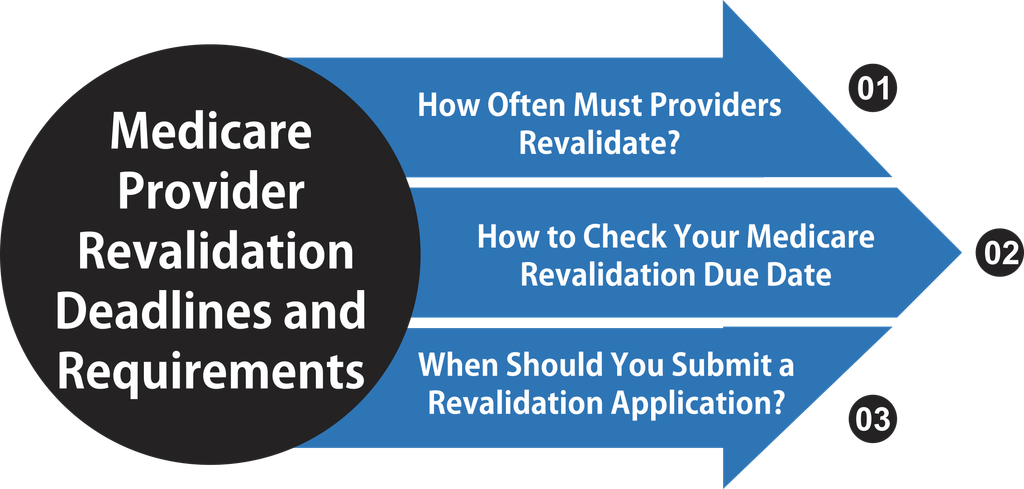
How Often Must Providers Revalidate?
CMS generally requires Medicare providers and suppliers to revalidate every five years. DMEPOS suppliers generally follow a three-year cycle, and CMS can request an off-cycle revalidation when needed.
The practical rule is to track the provider’s specific CMS-assigned date rather than assume that every Medicare enrollment follows the same schedule. The CMS Revalidation List can be used to check an individual or organizational provider’s due date.
How to Check Your Medicare Revalidation Due Date
CMS posts revalidation due dates seven months in advance. Providers can search the official Medicare Revalidation List for the applicable individual or organization.
A billing or credentialing team should:
1. Search the CMS Revalidation List.
2. Confirm the provider or organization and NPI.
3. Record the assigned due date.
4. Compare the information with the current PECOS record.
5. Assign a staff member to monitor the submission and follow-up.
When Should You Submit a Revalidation Application?
CMS says providers should revalidate within three months of the due date, even if they have not received a notification. Submitting more than seven months before the due date generally is not appropriate unless CMS has already sent a revalidation notice; unsolicited applications may be returned.
CMS also states that enrollment contractors generally send revalidation notices by email or U.S. mail about three to four months before the due date. PECOS allows providers to review enrollment information, upload supporting documents, electronically sign, and submit the revalidation.
For 2026: Make the CMS Revalidation List the starting point for deadline verification, then use PECOS and the provider’s enrollment contractor instructions to complete the process. This reduces the risk of relying on an outdated internal calendar or an incomplete provider record.
How to Maintain Medicare Enrollment Status
Keeping Medicare enrollment information current requires more than submitting revalidation on time. Providers and administrative teams should review PECOS records, update practice information, and track deadlines before they affect billing privileges.
Use PECOS to Review and Submit Enrollment Information
PECOS gives Medicare providers an electronic way to review and manage enrollment information. Teams can use it to report applicable changes, upload supporting documents, electronically sign applications, and submit revalidation information to the appropriate Medicare Administrative Contractor (MAC).
Before submission, compare the PECOS record with the practice’s current documentation. Check the provider’s legal name, practice locations, reassignment information, ownership details, and other applicable enrollment data.
Keep Provider and Practice Records Accurate
Outdated enrollment data can create discrepancies that require additional review. A practice should establish a routine check of:
- Provider names and NPI information
- Practice and correspondence addresses
- Tax identification and organizational information
- Ownership and managing employee information, when applicable
- Medicare reassignment and group relationships
- Supporting documents required for the enrollment record
Maintain a Revalidation Tracking System
A shared tracking process helps credentialing, billing, and practice management teams see upcoming deadlines before action is required. Record the provider’s revalidation date, assigned staff member, submission date, contractor correspondence, and final status.
For larger practices, review the CMS Revalidation List regularly and use PECOS records to confirm enrollment details. This creates a documented process for preventing provider enrollment deactivation and responding quickly when information changes.
Consequences of Missing Medicare Revalidation
Missing a Medicare revalidation deadline can put billing privileges and practice cash flow at risk. Understanding the possible consequences helps providers, credentialing specialists, and RCM teams respond before enrollment problems grow.
Medicare Payment Holds and Billing Privilege Deactivation
If a provider misses the revalidation deadline, the Medicare Administrative Contractor (MAC) may place payments on hold or deactivate the provider’s Medicare billing privileges. The outcome depends on the enrollment status and applicable CMS requirements; a missed deadline does not automatically mean every provider faces the same action.
CMS revalidation guidance
During deactivation, Medicare generally will not reimburse services furnished under the affected enrollment. Providers should check their official enrollment status and contact their MAC promptly if they receive a hold or deactivation notice.
Effects on Claims and Revenue Cycle Operations
Enrollment issues can disrupt routine billing work and create uncertainty about outstanding claims and expected payments. Billing teams should identify affected providers, review claim status, and follow MAC instructions rather than assume claims will process normally.
Potential operational effects include:
- Delayed Medicare payments and cash-flow pressure.
- Additional work for billing and credentialing staff.
- Claims requiring review after enrollment is restored.
- Disruption to payment forecasts and accounts receivable follow-up.
Enrollment Gaps and Reapplication Work
After deactivation, the provider may need to submit a new enrollment application to restore billing privileges. The practice should follow the instructions in the MAC notice and confirm when the enrollment is active again.
To limit further disruption:
1. Review the deactivation or revalidation notice.
2. Identify the reason and required corrective action.
3. Submit the requested application or documentation through the appropriate channel.
4. Save confirmations and follow up with the MAC.
5. Verify active billing privileges before assuming normal Medicare billing can resume.
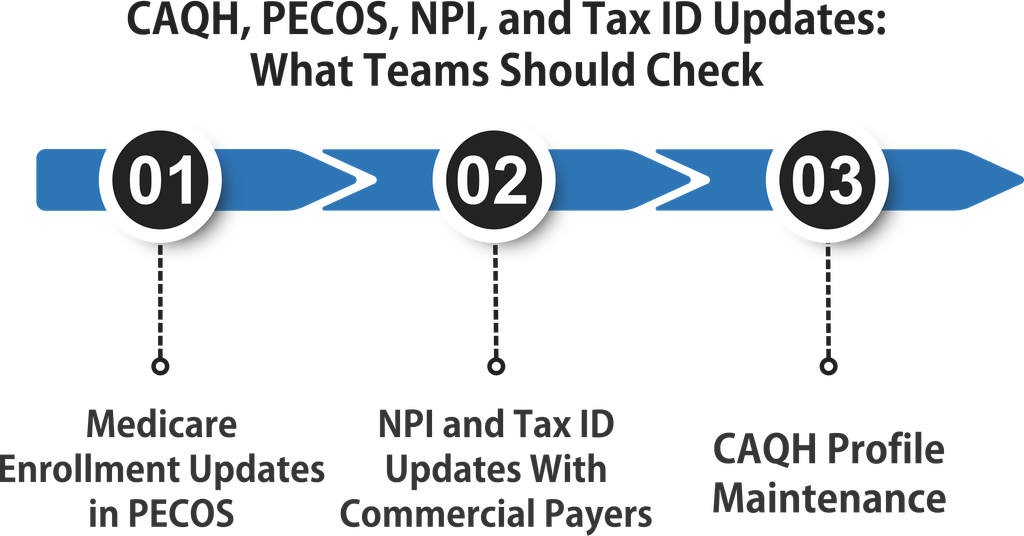
CAQH, PECOS, NPI, and Tax ID Updates: What Teams Should Check
Inconsistent provider records can delay enrollment processing, trigger payer follow-ups, or create billing problems. Regular checks help credentialing, billing, and practice management teams keep Medicare and commercial payer information accurate.
Medicare Enrollment Updates in PECOS
Use the Medicare Provider Enrollment, Chain, and Ownership System (PECOS) to review enrollment details and report changes to the Medicare Administrative Contractor (MAC). Check provider names, practice locations, ownership, managing employees, and reassignment information. Correct discrepancies and retain submission confirmations to support revalidation and follow-up.
NPI and Tax ID Updates With Commercial Payers
An update to the National Plan and Provider Enumeration System (NPPES) does not automatically update Medicare or commercial payer records. When a provider’s name, practice address, or Tax Identification Number (TIN) changes, identify which records need separate updates.
- Verify the NPI and associated practice details.
- Notify each affected commercial payer and follow its change-of-information process.
- Confirm billing group affiliations, pay-to details, and provider reassignment records where applicable.
- Check that claim submissions reflect the payer’s approved information.
CAQH Profile Maintenance
Keep the Council for Affordable Quality Healthcare (CAQH) profile current if commercial payers use it for credentialing. Review contact details, licenses, malpractice coverage, work history, practice locations, and document expiration dates. Complete required attestations and respond to payer requests promptly.
How to Handle Medicare Provider Reapplication Notices
A Medicare reapplication notice may require action to restore or maintain billing privileges after an enrollment issue. Review the notice carefully, confirm the provider’s status, and follow the instructions from the Medicare Administrative Contractor (MAC).
Review the Notice and Identify the Required Action
Check the notice for the reason, response deadline, affected enrollment, and documents requested. Determine whether CMS or the MAC is asking for revalidation, additional information, or a new enrollment application following deactivation.
Submit Complete and Accurate Information
Use PECOS when permitted by the notice, or follow the MAC’s stated submission method. Before submitting, verify the provider’s NPI, legal business name, Tax Identification Number, practice locations, ownership details, and reassignment information. Correct discrepancies and include all requested supporting documents.
Track Submission and Confirm Enrollment Status
Keep a copy of the application, supporting documents, submission confirmation, and related correspondence. Assign a team member to monitor follow-up requests and respond within the specified timeframe. After processing, confirm the enrollment status with the MAC before assuming Medicare billing privileges are active.
If the deadline has passed: Contact the MAC promptly to clarify the provider’s status and the steps required to restore billing privileges. Do not assume that submitting an application automatically reactivates enrollment or guarantees payment for services furnished during a deactivation period.
Conclusion
Medicare provider revalidation deadlines and pitfalls can affect billing privileges, reimbursement, and daily revenue cycle operations. Tracking due dates and submitting accurate enrollment information helps practices reduce avoidable delays and deactivation risks.
Regularly review PECOS records, verify provider details, maintain CAQH profiles where applicable, and update commercial payer records separately. Assign clear responsibilities for deadlines, documentation, and MAC follow-ups.
A proactive revalidation process helps healthcare providers, credentialing specialists, and billing teams protect enrollment status and support timely reimbursement. Check your CMS revalidation due dates and resolve discrepancies before they disrupt Medicare billing.
FAQs
How often must Medicare providers revalidate their enrollment?
Most Medicare providers and suppliers must revalidate every five years, while DMEPOS suppliers generally revalidate every three years. CMS may also request off-cycle revalidation.
How can providers check their Medicare revalidation deadlines?
Providers can search the CMS Medicare Revalidation List using their NPI, individual name, or organization name. They should verify the due date and track it internally rather than rely only on notices.
What are the consequences of missing Medicare revalidation?
Missing a deadline may lead to payment holds or deactivation of Medicare billing privileges. Providers should contact their Medicare Administrative Contractor (MAC) promptly to confirm their status and required corrective steps.
Do PECOS, CAQH, and NPPES updates automatically sync?
No. PECOS manages Medicare enrollment, NPPES maintains NPI records, and CAQH supports credentialing with participating payers. Providers must check each applicable system and update commercial payers separately.
What should providers do after receiving a Medicare reapplication notice?
Review the notice for deadlines, required documents, and submission instructions. Submit accurate information through the specified channel, retain confirmation records, respond to MAC requests, and verify that billing privileges are active.